Top Collaboration Tools for Remote Teams – Boost your Productivity!
Published: 27 Oct 2025
In today’s digital workplace, distance doesn’t have to mean disconnection. The top collaboration tools for remote teams are redefining how professionals communicate, plan, and create—no matter where they are in the world. These platforms turn scattered teams into synchronized powerhouses, enabling real-time messaging, seamless project tracking, and effortless file sharing. With the right tools, remote work feels less like isolation and more like innovation in motion.
In this guide, you’ll discover the top collaboration tools for remote teams in 2025 — tested, trusted, and built to boost productivity no matter where your team works from.
1. Understanding the Top Collaboration Tools for Remote Teams
Collaboration tools are digital platforms that enable teams to work together — regardless of their location. These tools bring communication, project tracking, and file sharing into one organized space, making teamwork simple and efficient. With the rise of AI for Remote Work Productivity, many collaboration tools now use smart automation and insights to save time, reduce errors, and keep everyone aligned — even from miles apart.
In remote work, team members can’t meet face-to-face every day. That’s why collaboration tools serve as a virtual office, where ideas are shared, tasks are assigned, and progress is tracked in real-time. They close the gap created by distance and help teams stay connected.
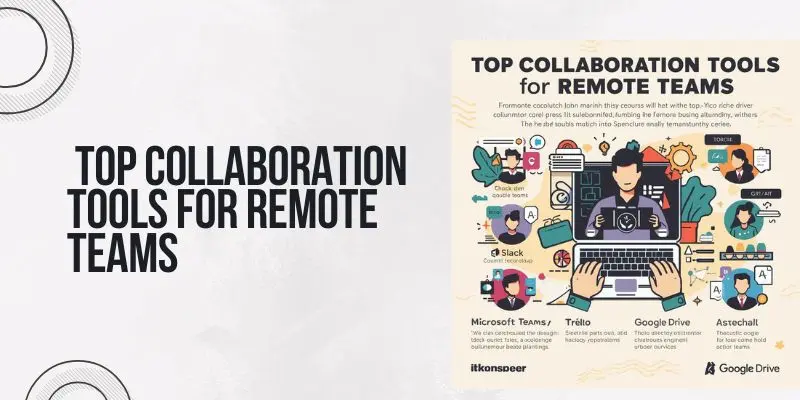
A good collaboration tool improves communication by keeping chats, messages, and meetings in one place. It boosts productivity by allowing everyone to manage their tasks, set deadlines, and follow progress easily. And it builds accountability, since every action — from task updates to file edits — is visible to the whole team.In short, collaboration tools make remote work feel effortless. They give structure to daily tasks, keep everyone informed, and ensure that no project slips through the cracks.
2. Key Features Every Collaboration Tool Should Have
Not all collaboration tools are the same — the best ones make teamwork faster, smoother, and stress-free. Here are the key features every remote team should look for:
1. Real-Time Communication
Instant messaging, group chats, and video calls help team members stay in touch, share updates, and solve issues quickly — just like being in the same room.
2. Task and Project Management
Features like to-do lists, boards, and timelines make it easy to assign work, set deadlines, and track progress. Everyone knows what to do and when to do it.
3. File Sharing and Storage
A built-in cloud space lets teams upload, organize, and access files anytime. This saves time and keeps documents safe in one place.
4. Collaboration on Documents
Tools that allow real-time editing on documents, spreadsheets, or slides help teams brainstorm, write, and review together without endless email threads.
5. Integrations with Other Apps
The best collaboration tools connect with apps like Google Drive, Zoom, Slack, or Trello — so everything works together without switching between tabs.
6. Notifications and Updates
Smart alerts keep everyone informed about new messages, task changes, or approaching deadlines — ensuring no detail is missed.
7. Security and Privacy
Since remote work involves sharing sensitive data, strong encryption, access control, and safe login systems are must-haves for every team.
When these features come together, they create a tool that helps remote teams communicate better, manage tasks easily, and stay secure while working from anywhere.
3. How to Select the Right Collaboration Tool for Your Team
Choosing the right collaboration tool isn’t just about picking the most popular one — it’s about finding what truly fits your team’s needs. Every team works differently, so the ideal tool should align with your workflow, goals, and communication style.
Understanding how these platforms connect with Business Automation Tools Explained can also help streamline repetitive tasks, boost efficiency, and make teamwork more productive than ever.
1. Know Your Team’s Needs
Start by asking what your team struggles with. Do they need better communication, easier task tracking, or faster file sharing? Knowing the main problem helps you focus on the right solution.
2. Check Ease of Use
A good collaboration tool should be simple to use. If it’s too complex, your team will avoid it. Look for tools with clean designs and easy navigation so everyone can learn quickly.
3. Look for Integration Options
Choose a tool that connects with other apps you already use, like Google Workspace, Zoom, or Slack. Integrations make work smoother and save a lot of switching time.
4. Compare Pricing Plans
Some tools are free, while others charge per user or feature. Pick one that offers the right balance between cost and functionality — especially if you’re a small business or startup.
5. Check Support and Security
A reliable tool must offer good customer support and strong data protection. Make sure it provides encrypted file sharing and secure logins to keep your information safe.
6. Test Before You Decide
Most collaboration tools offer a free trial. Use it to explore the features, invite teammates, and see if it truly fits your team’s daily workflow before investing.
The right tool should make teamwork easier — not harder. When chosen wisely, it saves time, reduces confusion, and helps your remote team perform at its best.
4. Best All-in-One Collaboration Suite
All-in-one collaboration suites bring everything your team needs — chat, files, meetings, and task tracking — into a single platform. They save time and reduce the need to switch between multiple apps. Here are some of the best options for remote teams in 2025:
1. Google Workspace
Google Workspace (formerly G Suite) is one of the most trusted collaboration suites. It includes Gmail, Google Docs, Sheets, Meet, and Drive — all in one place. Team members can work together on documents in real time, hold video meetings, and store files securely in the cloud. It’s easy to use and perfect for both small and large teams.
2. Microsoft 365
Microsoft 365 offers a powerful mix of classic Office apps like Word, Excel, and PowerPoint with modern tools such as Teams and OneDrive. It’s great for teams that need advanced document editing and professional communication features. With tight integration across its apps, Microsoft 365 ensures smooth collaboration across departments.
3. ClickUp
ClickUp is an all-in-one work hub designed to manage projects, tasks, documents, and chats — all in one dashboard. It lets teams customize their workflow, track goals, and automate routine work. Its flexibility makes it ideal for startups and growing businesses that want everything organized under one digital roof.
These all-in-one suites simplify work by combining essential tools into a single ecosystem. Whether it’s document sharing, messaging, or managing projects, they keep remote teams connected and productive every day.
5. Best Project and Task Management Platforms
When your team works remotely, keeping track of tasks and deadlines can be tricky. That’s where project and task management platforms come in — they organize everything in one place and make teamwork simple. Here are some of the best ones:
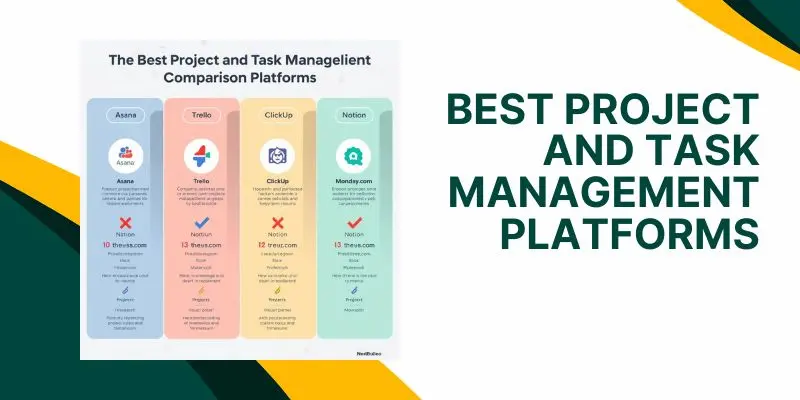
1. Asana
Asana is known for its clean design and easy-to-use task boards. It helps teams plan projects, assign work, and track progress without confusion. You can view tasks in lists, boards, or timelines, making it great for both simple and complex projects.
2. Trello
Trello uses a visual “board and card” system that’s perfect for tracking projects step-by-step. Each card can hold checklists, attachments, and comments, so everyone stays informed. It’s especially useful for creative teams or anyone who likes a visual workflow.
3. Wrike
Wrike offers powerful tools for larger teams that need detailed project planning. It allows for real-time collaboration, workload tracking, and automation of repetitive tasks. Its dashboards give managers a clear view of what’s happening across the entire team.
4. Smartsheet
Smartsheet combines spreadsheets with project management features. It’s perfect for teams who love Excel-style layouts but need modern collaboration options like file sharing and automated updates.
5. Teamwork
Teamwork is designed for teams that work with clients. It includes time tracking, billing, and project templates, making it ideal for agencies and service-based businesses. It keeps client communication clear and organized.
Each of these tools helps remote teams plan better, stay accountable, and deliver work on time. The right one depends on how your team prefers to organize and track progress — simple, visual, or advanced.
6. Top Communication and Video Collaboration Apps
No remote team can work smoothly without clear and fast communication. That’s why choosing the right communication and video collaboration apps is key — they help teams stay connected, brainstorm ideas, and maintain strong relationships even from miles away. Here are the best ones:
1. Slack
Slack is the go-to messaging app for remote teams. It organizes chats into channels (like #marketing or #design), making conversations easy to track. You can share files, use voice or video calls, and even connect Slack with tools like Google Drive, Asana, or Zoom.
2. Microsoft Teams
Microsoft Teams is ideal for businesses already using Microsoft 365. It combines chat, video meetings, and document sharing in one hub. You can co-edit Word or Excel files in real time without leaving the app — perfect for seamless teamwork.
3. Zoom
Zoom became the face of remote meetings worldwide. It’s simple, reliable, and perfect for one-on-one meetings or large webinars. Features like screen sharing, recording, and breakout rooms make collaboration easy and professional.
4. Google Meet
Google Meet is great for teams that use Gmail and Google Workspace. It integrates directly with Google Calendar, so meetings are just a click away. The video quality is smooth, and it runs well even on slower internet connections.
5. Discord
Originally built for gamers, Discord is now popular among creative and tech teams. It offers voice, video, and text channels with low-latency calls — making collaboration feel natural and fun. Many startups use Discord for quick daily communication.
These platforms bring teams closer, no matter how far apart they are. Whether you’re brainstorming ideas, hosting meetings, or just chatting casually, communication apps make remote work more human and connected.
7. Best File Sharing and Cloud Storage Tools
When teams work remotely, easy access to files is a must. File sharing and cloud storage tools make it simple to upload, organize, and share documents without worrying about losing important data. These tools also keep everything secure and available anytime, anywhere.
1. Google Drive
Google Drive is one of the most trusted cloud storage platforms. It allows teams to store, share, and edit files together in real time. Integrated with Google Docs, Sheets, and Slides, it’s perfect for teams that collaborate daily on shared projects.
2. Dropbox
Dropbox makes file management effortless. You can upload large files, sync them across all your devices, and share them with secure links. Its “Dropbox Paper” feature is great for creating and editing documents with teammates directly in the cloud.
3. OneDrive
Microsoft’s OneDrive is ideal for teams using Microsoft 365. It lets you store and share files safely while giving access to documents directly from apps like Word, Excel, and PowerPoint. Everything updates automatically, keeping everyone on the same page.
4. Box
Box focuses on security and team collaboration. It offers encrypted storage, advanced admin controls, and real-time editing with tools like Google Workspace and Microsoft Office. It’s a favorite for companies handling sensitive information.
5. PCloud
PCloud is a simple yet powerful tool for storing and sharing files. It allows you to back up data, share links, and even stream media files directly from the cloud. With its lifetime storage option, teams can save costs in the long run.
With these tools, remote teams can work faster and safer — no more endless email attachments or missing files. Cloud sharing keeps everything organized and accessible, wherever your team is working from.
8. Top Project Management and Task Tracking Tool
Remote teams need more than just communication — they need structure. Project management and task tracking tools help teams plan, assign, and monitor work without confusion. They keep everyone focused, accountable, and aware of what’s next.
1. Trello
Trello is one of the simplest and most visual project management tools. It uses boards, lists, and cards to organize tasks. You can drag and drop cards, set deadlines, and assign members — making teamwork clear and fun. It’s perfect for small to medium teams.
2. Asana
Asana helps teams plan, track, and complete tasks efficiently. You can create projects, break them into smaller goals, and monitor progress in real time. With automation and timeline views, Asana ensures nothing slips through the cracks.
3. ClickUp
ClickUp is an all-in-one productivity platform that combines tasks, documents, chats, and goals. It’s highly customizable and fits any workflow — from startups to big businesses. Teams love its dashboards and built-in time tracking.
4. Monday.com
Monday.com turns project management into a visual experience. It offers colorful boards, automation, and integrations with tools like Slack and Google Drive. Teams can manage projects, track workloads, and measure performance all in one place.
5. Notion
Notion is more than just a note-taking app — it’s a workspace for organizing everything. Teams can create pages for projects, track tasks, write documentation, and share updates. It’s flexible and perfect for creative and tech teams.
These tools make remote collaboration smoother and more transparent. Everyone knows who’s doing what and by when — no more lost emails or confusing updates. With a good project management tool, productivity becomes natural.
9. Time Tracking and Productivity Tool
In remote work, it’s easy to lose track of time or get distracted. Time tracking and productivity tools help teams stay disciplined, manage workloads, and measure real performance. They ensure every hour counts — without micromanagement.
1. Toggl Track
Toggl Track makes time tracking simple and stress-free. With one click, you can start a timer for any task. It creates detailed reports showing where your time goes, helping teams improve focus and productivity.
2. Clockify
Clockify is a free and easy-to-use time tracker. You can log hours, set billable rates, and monitor project timelines. It’s great for freelancers and remote teams that want clear visibility into work hours and project progress.
3. RescueTime
RescueTime runs quietly in the background, tracking how you spend your digital time. It identifies distractions and helps you find your most productive hours. Perfect for people who want to build better work habits.
4. Time Doctor
Time Doctor offers detailed insights into team productivity. It tracks tasks, time spent, and even gives optional screenshots for accountability. Many remote companies use it to balance performance and transparency.
5. Everhour
Everhour integrates directly with tools like Asana, Trello, and ClickUp. It helps teams estimate time, track progress, and manage budgets. It’s great for teams that want time tracking built into their workflow.
These tools don’t just track time — they boost efficiency, reduce burnout, and make sure every team member works smarter, not harder.
10. Collaboration Tools for Creative and Design Teams
Creative teams need more than just chat and task tools — they need platforms that bring ideas to life visually.

Whether it’s designing, editing, or brainstorming, the right tools help designers and content creators collaborate smoothly, even from different parts of the world.
1. Figma
Figma is one of the best tools for design collaboration. Multiple people can work on the same design at once, just like in Google Docs. You can leave comments, share prototypes, and create design systems — all in real time.
2. Canva for Teams
Canva makes design easy for everyone, even non-designers. Teams can create social media posts, presentations, and marketing materials together. Its templates, shared folders, and brand kits keep everything on-brand and consistent.
3. Adobe Creative Cloud
Adobe’s suite — including Photoshop, Illustrator, and Premiere Pro — is the go-to for professionals. With Adobe Creative Cloud, teams can share files, sync assets, and collaborate through cloud libraries, keeping projects aligned and accessible.
4. Miro
Miro is a virtual whiteboard for brainstorming and visual planning. Teams can sketch ideas, plan campaigns, and map user journeys. It’s perfect for design thinking sessions or quick creative discussions.
5. InVision
InVision is built for design collaboration and prototyping. Teams can turn static designs into interactive prototypes and gather feedback instantly. It’s a great choice for UX/UI teams that want a clear and fast design review process.
These tools help creative minds connect, share ideas, and refine visuals together — no matter the distance. When creativity meets collaboration, design magic happens.
Conclusion
In today’s remote-first world, the top collaboration tools for remote teams are the backbone of every successful organization. From managing projects and sharing files to tracking time and sparking creativity — these tools keep everyone connected, focused, and moving in the same direction. Whether you’re a small startup or a global company, investing in the right mix of communication, project management, and creative platforms can transform how your team works together.
So, explore the tools that fit your workflow best — because when your team collaborates better, success follows naturally.
FAQs
The top collaboration app for most remote teams is Slack. It brings all communication into one place — messages, calls, file sharing, and integrations with tools like Google Drive or Trello. Its real-time chat and organized channels make teamwork smoother and faster. Many businesses also pair Slack with project tools like Asana or ClickUp for complete workflow management.
Effective collaboration starts with clear communication and reliable tools. Use video conferencing apps like Zoom or Microsoft Teams for meetings, and project tools such as Asana or Trello to track progress. Set clear goals, assign responsibilities, and encourage feedback. Regular check-ins also help remote members feel connected and accountable.
Google Workspace is one of the most commonly used platforms for virtual collaboration. It includes Gmail, Google Docs, Sheets, and Drive — all designed for real-time teamwork. Multiple people can edit documents simultaneously, leave comments, and store files securely in the cloud. It’s ideal for both small teams and large organizations.
The “best” tool depends on your team’s needs. Asana and ClickUp are great for task and project management, while Slack excels at communication. For creative brainstorming, Miro and Notion stand out. Many companies combine two or more tools to cover communication, task tracking, and content sharing efficiently.
The four main types of collaboration are team collaboration, community collaboration, network collaboration, and strategic collaboration. Each focuses on a different purpose — from working closely on projects to sharing knowledge across departments or partnering with other organizations. Understanding these helps teams choose the right tools for their goals.
Collaboration tools reduce confusion and wasted time by keeping everything organized in one place. Teams can assign tasks, share updates, and communicate instantly. This improves workflow visibility and speeds up decision-making. With less time spent searching for information, employees can focus more on meaningful work.
Yes, most modern collaboration tools include strong security features like data encryption, two-factor authentication, and admin controls. Platforms such as Microsoft 365 and Google Workspace meet enterprise-level security standards. However, teams should still follow safe online practices and regularly update passwords for extra protection.
Communication tools, like Slack or Zoom, help people talk and exchange information. Collaboration tools, such as Trello or Asana, help people work together on shared tasks or projects. Many platforms combine both features so teams can discuss and complete work without switching apps.
Absolutely! Even small teams benefit from tools like Trello, Basecamp, or Google Workspace. These platforms simplify communication and task management, helping startups and freelancers stay organized. Plus, most tools offer free or affordable plans, making them budget-friendly for growing businesses.
AI-powered features are becoming the norm in collaboration tools. Platforms like Miro and ClickUp now use AI for automating tasks, summarizing chats, and suggesting workflows. Integration between apps and stronger hybrid work support are also major trends, making remote teamwork more seamless than ever.





- Be Respectful
- Stay Relevant
- Stay Positive
- True Feedback
- Encourage Discussion
- Avoid Spamming
- No Fake News
- Don't Copy-Paste
- No Personal Attacks
- Be Respectful
- Stay Relevant
- Stay Positive
- True Feedback
- Encourage Discussion
- Avoid Spamming
- No Fake News
- Don't Copy-Paste
- No Personal Attacks
