The Ultimate Guide to Automated Invoicing Software
Published: 10 Apr 2025
Automated Invoicing Software can save businesses from one of the biggest daily headaches—chasing payments, fixing billing mistakes, and wasting hours on manual invoices. If you run a small business, freelance, or manage company accounts, you may know this pain well. You send an invoice, wait for payment, send reminders, and still deal with late payments or missing records. It feels frustrating. It also takes time away from real work that grows your business.
I have seen this problem closely. A small business owner I worked with spent nearly two full days each month creating invoices by hand, checking payment status, and following up with clients. One small error in invoice details caused delayed payments and confusion. After switching to Automated Invoicing Software, their billing process became faster, smoother, and more accurate. Invoices went out on time. Payment reminders were automatic. Records stayed organized. Most importantly, stress went down.
That is why more businesses now trust Automated Invoicing Software. It is not just a billing tool. It is a smart system that saves time, improves cash flow, and helps business owners focus on what matters most—running and growing their business. Could your invoicing process be easier too? The answer may be simpler than you think.
What is Automated Invoicing Software?
Automated invoicing software helps businesses streamline billing by generating, sending, and tracking invoices automatically.
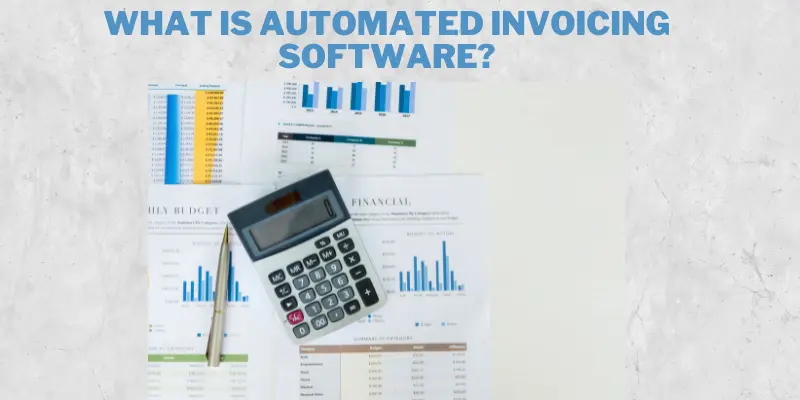
The image below offers a visual overview of how this system works and why it’s beneficial.
Simple Definition
Automated invoicing software is a tool that creates, sends, and tracks invoices without manual work. It replaces traditional paper-based or Excel invoicing with smart automation.
Examples of Popular Tools
- QuickBooks
- FreshBooks
- Zoho Invoice
How Does Automated Invoicing Work?
Automated invoicing creates and sends invoices to customers without manual effort. It tracks payments, sends reminders, and keeps records up to date automatically.
Step-by-Step Process
- Create Invoices Automatically: Set up templates, and the software generates invoices for you.
- Send Payment Reminders: Automatically notify clients about due or overdue payments.
- Track Transactions: See which invoices are paid and which are pending.
- Generate Reports: Get insights into your cash flow and payment trends.
Real-Life Example
A freelancer uses FreshBooks to bill clients. The software sends reminders, tracks payments, and even calculates taxes. This saves hours of manual work every month.
Benefits of Using Automated Invoicing Software
Automated invoicing software brings several advantages that go beyond just saving time. The image below highlights the key benefits businesses experience when they make the switch from manual to automated billing. Also, check our Marketing Automation for Small Businesses.
Let’s now break down why this technology is a game-changer and explore a real-life example to see its impact in action.
Why It’s a Game-Changer
- Saves Time: No more manual data entry.
- Reduces Errors: No wrong amounts or missing invoices.
- Faster Payments: Automatic reminders ensure clients pay on time.
- Easy Tracking: Know who has paid and who hasn’t.
Real-Life Example
A small business owner cut invoicing time by 50% using QuickBooks. They now focus on growing their business instead of chasing payments.
Features to Look for in Automated Invoicing Software
Choose software with features like easy invoice creation, payment tracking, and reminders.
Look for options that integrate with your accounting tools and support multiple payment methods.dont forget to view The Future of Freelancing.
Must-Have Features
- Customizable templates
- Automatic payment reminders
- Integration with accounting tools
- Multi-currency support
- Mobile access
Real-Life Example
A growing e-commerce store uses Zoho Invoice to handle multi-currency invoices for international clients.
Best Automated Invoicing Software in this year
With so many invoicing tools available today, choosing the right one can be tough. The image below gives a snapshot of the top automated invoicing software options dominating 2025.

Now, let’s take a closer look at The 6 Benefits of Workflow Automation Tools and More, along with some top picks, and see what makes them stand out for businesses in 2025.
Top Picks
- QuickBooks: Best for small businesses.
- FreshBooks: Great for freelancers.
- Zoho Invoice: Feature-rich and free option.
- Xero: Best for larger businesses.
How to Choose the Right Automated Invoicing Software
Pick software that matches your business size, budget, and invoicing needs. Always check ease of use, customer support, and integration with your existing tools.
Tips for Decision-Making
- Consider your business size and needs.
- Check pricing and free trials.
- Look for user-friendly dashboards.
- Ensure it integrates with your existing tools.
Common Mistakes to Avoid When Using Automated Invoicing
Even the best Top Customer Support Automation Tools for Small Businesses can lead to problems if not used correctly. The image below highlights some of the most common mistakes businesses make when using automated invoicing systems.

Even the best automation tools can lead to problems if not used correctly. The image below highlights some of the most common mistakes businesses make when using automated invoicing systems.
What to Watch Out For
- Not setting up automatic reminders.
- Forgetting to customize invoices.
- Ignoring transaction tracking.
Real-Life Example
A business lost payments because it didn’t set up reminders. Automated invoicing software can prevent this.
Actionable Advice
- Try a free trial of your chosen software.
- Set up automatic reminders and recurring invoices.
- Focus on growing your business while the software handles billing.
Closing Versions
Closing versions are different styles of ending content to leave a lasting impact. They can be motivational, cautionary, or inspiring—depending on the message you want to deliver.
- Motivational & Encouraging
Start using automated invoicing today! Tools like FreshBooks and QuickBooks make billing effortless. Free up time and focus on growing your business. - Cautionary & Practical
Automation is powerful but not foolproof. Double-check your settings and try free trials before committing. - Inspiring & Actionable
Work smarter, not harder. Embrace automation and watch your business grow. Start today!
Conclusion
Automated Invoicing Software is more than a modern business tool. It is a practical solution to a real problem that many business owners face every day. Manual invoicing creates delays, mistakes, and extra work. Automation removes much of that burden. It helps businesses send invoices faster, collect payments on time, and keep financial records clear and accurate.
From what I have seen, businesses that switch to automated billing often notice quick results. They save hours of work. They reduce payment delays. They also feel more in control of their finances. That peace of mind matters. Good invoicing is not only about getting paid. It is about building trust with clients through clear and professional billing.
FAQs About Automated Invoicing Software
Automated Invoicing Software helps businesses create, send, and track invoices without doing everything by hand. It uses saved customer details, invoice templates, and payment schedules to speed up billing. Many tools also send automatic payment reminders, which helps reduce missed payments. This makes invoicing simple, fast, and more accurate. Business owners save time and can focus more on daily work. It is a smart solution for better billing management.
Small businesses often have limited time and fewer staff members. Automated Invoicing Software helps by handling billing tasks quickly and smoothly. It sends invoices on time and keeps payment records organized in one place. This reduces manual work and lowers the chance of mistakes. It also helps businesses get paid faster, which improves cash flow. For many small businesses, this tool makes work easier and more professional.
Late payments can hurt business growth and create stress. Automated Invoicing Software helps solve this problem by sending invoices right away and creating payment reminders automatically. Customers receive clear notices before and after due dates. Many platforms also offer easy online payment options, which makes paying faster. This improves payment collection and supports steady cash flow. Businesses can spend less time chasing payments and more time serving customers.
Most Automated Invoicing Software tools are designed to be simple and user-friendly. They often include clean dashboards, easy menus, and ready-made invoice templates. You do not need accounting experience to use them well. Many platforms also offer setup guides and customer support for new users. Once set up, sending invoices becomes quick and easy. This makes it a great choice for beginners and small business owners.
Keeping billing records organized is important for every business. Automated Invoicing Software stores invoices, payment dates, customer details, and account history in one place. This makes it easy to check past payments or find unpaid invoices quickly. It also helps during tax filing and financial planning. Good records save time and reduce stress during busy work periods. Organized billing creates a smoother business process.
Freelancers often manage many clients at once, which can make billing hard to track. Automated Invoicing Software helps by making invoice creation fast and simple. It can send invoices on time and follow up with reminders automatically. This reduces awkward payment follow-ups and keeps communication professional. It also helps freelancers track earnings more clearly. With better invoicing, freelancers can focus more on their work and clients.
Security matters when handling payments and customer information. Trusted Automated Invoicing Software uses secure systems to protect invoice data and payment details. Many platforms offer encrypted payment processing and safe login methods. Some also provide data backups for extra protection. Choosing a trusted software provider adds another layer of safety. Secure billing tools help businesses protect their money, records, and customer trust.
Many Automated Invoicing Software platforms connect with accounting software to make financial work easier. This allows invoice details to move into accounting records automatically. It reduces manual entry and lowers the chance of mistakes. Business owners can track income, payments, and reports more easily in one place. This saves time during monthly bookkeeping and tax preparation. Connected tools help businesses stay accurate and organized.
The price of Automated Invoicing Software depends on the features and the provider. Some platforms offer free plans with basic invoicing tools. Paid plans may include advanced features like payment reminders, reporting, and team access. Many businesses find the cost worth it because it saves time and reduces billing problems. It is helpful to compare plans before making a choice. The right software should match both your needs and budget.
Choosing the best Automated Invoicing Software starts with understanding your business needs. Look for features like automatic billing, payment reminders, reporting, and easy payment options. Make sure the software is simple to use and fits your budget. Reading customer reviews can also help you make a smart choice. A good invoicing tool should save time and improve payment flow. The right choice can support long-term business success.




- Be Respectful
- Stay Relevant
- Stay Positive
- True Feedback
- Encourage Discussion
- Avoid Spamming
- No Fake News
- Don't Copy-Paste
- No Personal Attacks
- Be Respectful
- Stay Relevant
- Stay Positive
- True Feedback
- Encourage Discussion
- Avoid Spamming
- No Fake News
- Don't Copy-Paste
- No Personal Attacks
