Marketing Automation for Small Businesses – A Complete Guide
Published: 11 Apr 2025
Marketing Automation for Small Businesses can feel like a big task when you are already busy running your business. I have seen many small business owners work hard every day, yet still miss leads, forget follow-ups, and struggle to stay active online.
The problem is not that they are lazy. The problem is that they have too much to do. They answer customer calls, manage orders, send emails, post on social media, and try to bring in new sales. It becomes tiring fast.
This is where marketing automation can help. It works like a simple support system for your business. It can send emails, follow up with leads, remind customers, and keep your marketing active while you focus on real business work.
In this guide, I will simply explain marketing automation. I will share practical examples, common mistakes, and easy steps that small business owners can use to save time, reduce stress, and grow with more confidence. Related How to Automate Marketing Campaigns
What is Marketing Automation?
Marketing automation is the use of smart software to handle repetitive marketing tasks like emails, social media, and customer follow-ups.

It helps businesses save time, reach more people, and build stronger customer relationships with less effort.
A Beginner-Friendly Explanation
Marketing automation for small businesses simplifies repetitive marketing tasks by using software to handle them automatically. It’s like having a virtual assistant that works 24/7 to keep your marketing efforts on track.
How It Streamlines Tasks
From sending personalized emails to scheduling social media posts, automation ensures consistency and efficiency.
Real-Life Example
Imagine a small bakery using email automation to send birthday discounts to customers. This not only saves time but also boosts customer loyalty.
Benefits of Marketing Automation for Small Businesses
Marketing automation helps small businesses save time and stay organized by handling repetitive tasks automatically. It boosts customer engagement, improves sales, and lets business owners focus on growth instead of routine work. Check out how to automate email marketing.
Saves Time and Effort
Workflow Automation for Small Businesses handles repetitive tasks, freeing up time for business owners to focus on strategy and growth.
Generates and Nurtures Leads
Marketing automation makes it easier to capture new leads and guide them through the buying journey. Instead of manually sending emails or reminders, how to automate the workflow to handle it for you? For example, when someone signs up on your website, they can instantly receive a welcome email and follow-up messages. This consistent engagement builds trust and gradually turns curious visitors into loyal customers.
Boosts Sales Without Extra Work
One of the biggest advantages of automation is that it helps you sell more without working extra hours. Through smart upsell and cross-sell campaigns, businesses can recommend related products or services automatically. For instance, if a customer buys a laptop, the system can suggest accessories like a bag or headphones. This not only increases revenue but also improves the customer experience by offering value at the right time.
Provides Data-Driven Insights
Business Automation Tools don’t just save time-they also give you valuable information about how your marketing is performing. You can see which emails people open, which offers get clicks, and which campaigns bring in the most sales. These insights help you understand what your audience really wants. With this data, you can make smarter decisions, improve weak areas, and focus on strategies that bring the best results.
Key Marketing Automation Tools for Small Businesses
Small businesses can use marketing automation tools to manage emails, social media, and customer interactions with ease.
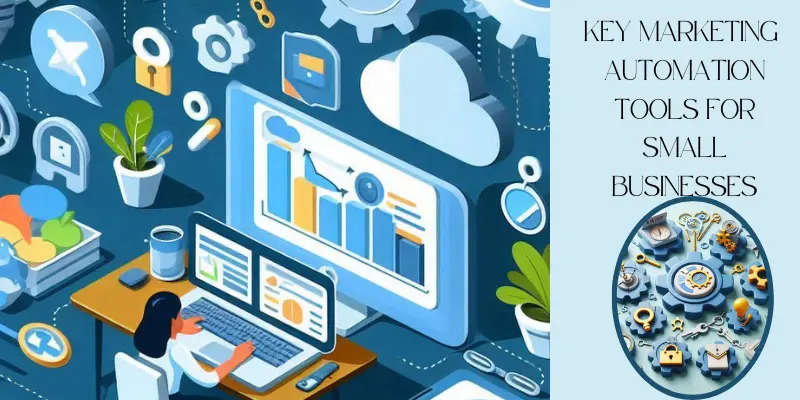
These tools save time, reduce manual work, and help businesses grow faster with smarter marketing.
Email Marketing Automation
Email marketing automation makes it simple to stay in touch with your audience without writing and sending every message manually. Tools like Mailchimp and ConvertKit let you set up welcome emails, regular newsletters, and even follow-up reminders automatically. For example, when a new customer signs up, they instantly receive a personalized welcome message. This keeps communication consistent and helps you build stronger customer relationships while saving time.
Social Media Scheduling
Managing multiple social media accounts can be overwhelming, but Social Media Automation Tools make it easier. Platforms like Buffer and Hootsuite allow you to plan and schedule posts in advance across Facebook, Instagram, LinkedIn, and more. Instead of posting in real time every day, you can prepare a week’s or even a month’s content in one sitting. This ensures your business stays active online, reaches more people, and maintains a steady presence without constant effort.
CRM & Lead Management
Building strong customer relationships is vital for business growth, and CRM Automation for Small Businesses and CRM tools help you do just that. Platforms like HubSpot and Zoho CRM organize all your customer data in one place, making it easy to track conversations, leads, and sales opportunities. These tools also remind you to follow up with prospects so you never miss a chance to close a deal. With clear records and insights, you can give customers a more personalized and professional experience.
Chatbots & Customer Support
Customers want quick answers, and that’s where chatbots come in handy. Which Type of AI Chatbot is Best for Your Customer Service? Tools like ManyChat and Drift provide instant support by answering common questions automatically. For example, Customer Support Automation Tools for Small Businesses can guide visitors through your website, share product details, or even book appointments. This not only improves customer satisfaction but also saves you time by handling routine questions while you focus on bigger tasks.
How to Implement Marketing Automation in Small Businesses
Marketing automation helps small businesses save time, reduce stress, and stay connected with customers. Even if you run a one-person team, the right tools can make your work easier and more effective. By following a few simple steps, you can create smart systems that handle repetitive tasks and give you more time to focus on growing your business.
Step 1: Identify Repetitive Tasks
Start by looking at the tasks you do over and over again, such as sending newsletters, posting on social media, or following up with customers. These are perfect candidates for automation because they eat up valuable time but follow the same pattern. By writing down a clear list, you’ll see where automation can bring the most relief and efficiency to your daily work. Don’t forget to check our How to Automate Repetitive Tasks in Business
Step 2: Choose the Right Tools
Once you know Business Automation Tools Explained, pick tools that match your needs and budget. For example, Mailchimp is great for email marketing, while Buffer works well for social media scheduling. If you need to track leads and customer data, tools like HubSpot or Zoho CRM are solid choices. Always start with beginner-friendly platforms so you don’t feel overwhelmed.
Step 3: Set Up Automation Workflows
Begin with simple workflows that bring quick results. For instance, set up a welcome email that goes out automatically when someone joins your mailing list, or schedule a week’s worth of social media posts at once. As you get comfortable, you can create more advanced workflows, like abandoned cart reminders or personalized offers. This gradual approach keeps things manageable while still delivering big benefits. Also examine Workflow automation examples
Step 4: Track Performance and Optimize
Automation isn’t a one-time setup you need to track how well it’s working. Most tools offer analytics that show open rates, clicks, conversions, and more. Use these insights to see what’s performing well and what needs improvement. For example, if people aren’t opening your emails, try a different subject line. By making small adjustments over time, you’ll get better results without extra effort.
Common Mistakes to Avoid
Small businesses often struggle with marketing automation because of avoidable mistakes.
By understanding these errors, you can save time, money, and improve your results.
Over-Automating and Losing Personal Touch
While automation saves time, it should not make your business feel robotic. Sending the same generic emails or messages to everyone can turn customers away. Instead, personalize your messages with names, preferences, or past interactions to build stronger connections.
Not Segmenting Your Audience
Every customer is different. If you send the same message to all, many people will ignore it. Segment your audience by interests, behavior, or purchase history so your communication feels relevant and meaningful.
Ignoring Analytics
One of the biggest mistakes is not tracking results. Analytics show you what’s working and what’s not. By reviewing reports and insights regularly, you can adjust campaigns, improve strategies, and get better returns from your automation efforts.
Conclusion
Marketing Automation for Small Businesses is one of the smartest ways to save time and grow without doing every task by hand. From my experience, many small business owners do not need more work. They need better systems.
When you use automation the right way, you stay connected with leads and customers. You send messages on time. You follow up faster. You also avoid missing chances that could turn into sales.
As a marketing content expert, my advice is simple. Start small. First, automate one task, like a welcome email or a customer follow-up. Then track your results and improve step by step.
Marketing automation should not make your business feel cold or robotic. It should help you give a better human touch. When done well, it helps small businesses save time, build trust, and grow in a steady and smart way.
FAQs on Marketing Automation for Small Businesses
Marketing automation for small businesses means using tools to do repeated marketing tasks.
These tasks can include emails, follow-ups, social media posts, and lead tracking. It helps business owners save time and stay organized. For example, a bakery can send birthday offers without doing it by hand. This makes marketing simple, fast, and easy to manage.
Marketing automation is important because small business owners have limited time. They often manage sales, orders, customers, and marketing alone. Automation helps them send messages at the right time. It also helps them follow up with leads before they lose interest. As a result, small businesses can grow with less stress.
Marketing automation helps small businesses collect and manage leads. When someone fills out a form, the system can send an instant email. It can also send helpful follow-up messages over time. This keeps the lead interested in your product or service. Because of this, more leads can turn into real customers.
Yes, marketing automation can help increase sales. It sends the right offer to the right customer at the right time. For example, it can remind a customer about a product they viewed. It can also suggest related products after a purchase. These small actions can bring more sales without extra manual work.
The best tools depend on your business goals and budget. Mailchimp is a good choice for email marketing automation. Buffer and Hootsuite help with social media scheduling. HubSpot and Zoho CRM help with lead and customer management. Start with one simple tool that solves your biggest problem first.
Marketing automation is not always expensive. Many tools offer free or low-cost plans for beginners.
You can start with basic email automation or social media scheduling. Then you can upgrade when your business grows. This makes automation a smart choice for small businesses with tight budgets.
Marketing automation is not always expensive. Many tools offer free or low-cost plans for beginners.
You can start with basic email automation or social media scheduling. Then you can upgrade when your business grows. This makes automation a smart choice for small businesses with tight budgets.
Small businesses should automate simple tasks first. Start with welcome emails, lead follow-ups, and social media posts. You can also automate appointment reminders and review requests. These tasks take time but follow the same steps each day. Once you feel ready, you can build more advanced workflows.
Marketing automation will not feel cold if you use it the right way. You can still add a personal touch to every message. For example, you can use the customer’s name and past actions. You can also send birthday offers, thank-you emails, and helpful tips. Good automation helps your business feel more caring, not less human.
Small businesses should avoid sending the same message to everyone. They should also avoid using too many automated messages. This can make customers feel ignored or annoyed. You should check your reports, clicks, open rates, and sales often. This helps you improve your campaigns and get better results.





- Be Respectful
- Stay Relevant
- Stay Positive
- True Feedback
- Encourage Discussion
- Avoid Spamming
- No Fake News
- Don't Copy-Paste
- No Personal Attacks
- Be Respectful
- Stay Relevant
- Stay Positive
- True Feedback
- Encourage Discussion
- Avoid Spamming
- No Fake News
- Don't Copy-Paste
- No Personal Attacks
