Marketing Automation for Small Businesses – A Complete Guide
Published: 11 Apr 2025
Marketing Automation for Small Businesses is a game-changer. It uses tools to handle repetitive tasks like sending emails, posting on social media, and following up with customers. For small businesses, this means saving time, reducing manual work, and focusing on growth. Without automation, many small businesses struggle with lead generation, customer engagement, and time management.
What is Marketing Automation?
Marketing automation is the use of smart software to handle repetitive marketing tasks like emails, social media, and customer follow-ups.
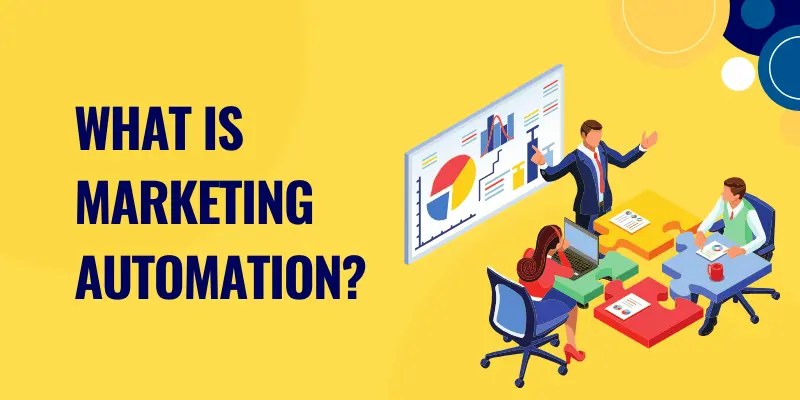
It helps businesses save time, reach more people, and build stronger customer relationships with less effort.
A Beginner-Friendly Explanation
Marketing automation for small businesses simplifies repetitive marketing tasks by using software to handle them automatically. It’s like having a virtual assistant that works 24/7 to keep your marketing efforts on track.
How It Streamlines Tasks
From sending personalized emails to scheduling social media posts, automation ensures consistency and efficiency.
Real-Life Example
Imagine a small bakery using email automation to send birthday discounts to customers. This not only saves time but also boosts customer loyalty.
Benefits of Marketing Automation for Small Businesses
Marketing automation helps small businesses save time and stay organized by handling repetitive tasks automatically. It boosts customer engagement, improves sales, and lets business owners focus on growth instead of routine work.
Saves Time and Effort
Workflow automation for small businesses handles repetitive tasks, freeing up time for business owners to focus on strategy and growth.
Generates and Nurtures Leads
Marketing automation makes it easier to capture new leads and guide them through the buying journey. Instead of manually sending emails or reminders, automated workflows handle it for you. For example, when someone signs up on your website, they can instantly receive a welcome email and follow-up messages. This consistent engagement builds trust and gradually turns curious visitors into loyal customers.
Boosts Sales Without Extra Work
One of the biggest advantages of automation is that it helps you sell more without working extra hours. Through smart upsell and cross-sell campaigns, businesses can recommend related products or services automatically. For instance, if a customer buys a laptop, the system can suggest accessories like a bag or headphones. This not only increases revenue but also improves the customer experience by offering value at the right time.
Provides Data-Driven Insights
Automation tools don’t just save time—they also give you valuable information about how your marketing is performing. You can see which emails people open, which offers get clicks, and which campaigns bring in the most sales. These insights help you understand what your audience really wants. With this data, you can make smarter decisions, improve weak areas, and focus on strategies that bring the best results.
Key Marketing Automation Tools for Small Businesses
Small businesses can use marketing automation tools to manage emails, social media, and customer interactions with ease.
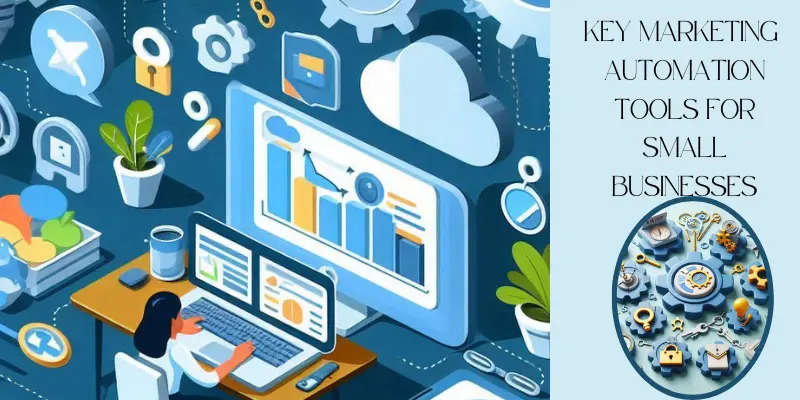
These tools save time, reduce manual work, and help businesses grow faster with smarter marketing.
Email Marketing Automation
Email marketing automation makes it simple to stay in touch with your audience without writing and sending every message manually. Tools like Mailchimp and ConvertKit let you set up welcome emails, regular newsletters, and even follow-up reminders automatically. For example, when a new customer signs up, they instantly receive a personalized welcome message. This keeps communication consistent and helps you build stronger customer relationships while saving time.
Social Media Scheduling
Managing multiple social media accounts can be overwhelming, but automation tools make it easier. Platforms like Buffer and Hootsuite allow you to plan and schedule posts in advance across Facebook, Instagram, LinkedIn, and more. Instead of posting in real time every day, you can prepare a week’s or even a month’s content in one sitting. This ensures your business stays active online, reaches more people, and maintains a steady presence without constant effort.
CRM & Lead Management
Building strong customer relationships is vital for business growth, and CRM tools help you do just that. Platforms like HubSpot and Zoho CRM organize all your customer data in one place, making it easy to track conversations, leads, and sales opportunities. These tools also remind you to follow up with prospects so you never miss a chance to close a deal. With clear records and insights, you can give customers a more personalized and professional experience.
Chatbots & Customer Support
Customers want quick answers, and that’s where chatbots come in handy. Tools like ManyChat and Drift provide instant support by answering common questions automatically. For example, a chatbot can guide visitors through your website, share product details, or even book appointments. This not only improves customer satisfaction but also saves you time by handling routine questions while you focus on bigger tasks.
How to Implement Marketing Automation in Small Businesses
Marketing automation helps small businesses save time, reduce stress, and stay connected with customers. Even if you run a one-person team, the right tools can make your work easier and more effective. By following a few simple steps, you can create smart systems that handle repetitive tasks and give you more time to focus on growing your business.
Step 1: Identify Repetitive Tasks
Start by looking at the tasks you do over and over again, such as sending newsletters, posting on social media, or following up with customers. These are perfect candidates for automation because they eat up valuable time but follow the same pattern. By writing down a clear list, you’ll see where automation can bring the most relief and efficiency to your daily work.
Step 2: Choose the Right Tools
Once you know what to automate, pick tools that match your needs and budget. For example, Mailchimp is great for email marketing, while Buffer works well for social media scheduling. If you need to track leads and customer data, tools like HubSpot or Zoho CRM are solid choices. Always start with beginner-friendly platforms so you don’t feel overwhelmed.
Step 3: Set Up Automation Workflows
Begin with simple workflows that bring quick results. For instance, set up a welcome email that goes out automatically when someone joins your mailing list, or schedule a week’s worth of social media posts at once. As you get comfortable, you can create more advanced workflows, like abandoned cart reminders or personalized offers. This gradual approach keeps things manageable while still delivering big benefits.
Step 4: Track Performance and Optimize
Automation isn’t a one-time setup—you need to track how well it’s working. Most tools offer analytics that show open rates, clicks, conversions, and more. Use these insights to see what’s performing well and what needs improvement. For example, if people aren’t opening your emails, try a different subject line. By making small adjustments over time, you’ll get better results without extra effort.
Common Mistakes to Avoid
Small businesses often struggle with marketing automation because of avoidable mistakes.
By understanding these errors, you can save time, money, and improve your results.
Over-Automating and Losing Personal Touch
While automation saves time, it should not make your business feel robotic. Sending the same generic emails or messages to everyone can turn customers away. Instead, personalize your messages with names, preferences, or past interactions to build stronger connections.
Not Segmenting Your Audience
Every customer is different. If you send the same message to all, many people will ignore it. Segment your audience by interests, behavior, or purchase history so your communication feels relevant and meaningful.
Ignoring Analytics
One of the biggest mistakes is not tracking results. Analytics show you what’s working and what’s not. By reviewing reports and insights regularly, you can adjust campaigns, improve strategies, and get better returns from your automation efforts.
Conclusion
So guys, in this article, we’ve explored Marketing Automation for Small Businesses and how it can save time, boost sales, and improve efficiency. If you’re just starting, try simple tools like Mailchimp or Buffer to automate basic tasks. Start small, stay consistent, and always keep a human touch in your messaging. Remember – smart automation, done right, leads to big results!
FAQs on Marketing Automation for Small Businesses
One of the biggest mistakes is over-automating to the point where customers feel like they’re talking to a robot. Marketing works best when it feels personal, so balance automation with genuine human touches. Another common error is setting up campaigns and never checking the results—this can waste money and hurt your brand image. Always track performance, test different strategies, and make improvements along the way to keep your campaigns effective.
The setup time depends on the complexity of your goals. Simple workflows, like a welcome email series, can be created in just a few hours. More advanced setups with customer journeys, social media, and integrations may take a few days. The good news is that most tools offer pre-built templates that save you tons of time. With a little effort up front, you’ll quickly see time-saving benefits for your business.
For beginners, Mailchimp is often the best starting point. It’s affordable, beginner-friendly, and perfect for creating email campaigns without technical skills. You can easily design newsletters, schedule automated emails, and track results in one dashboard. As your business grows, you can explore more advanced platforms like HubSpot or ActiveCampaign for additional features. Mailchimp is the perfect first step into automation.
Not if you use it the right way. Automation can actually make your business feel more personal by sending messages at the right time. For example, you can set up birthday emails, personalized discounts, or tailored follow-ups that show customers you care. Instead of replacing human connection, automation helps you scale personal touches without spending hours doing it manually.
Yes—marketing automation isn’t just for big companies. Even solo entrepreneurs and freelancers can use it to save hours every week. Tools can handle email reminders, social media posts, and even customer follow-ups automatically. This means you can focus on serving clients or growing your business instead of being stuck in repetitive tasks. For very small teams, automation is often a secret weapon for competing with larger businesses.
No, you don’t need to be a tech expert to start. Most platforms are built for small business owners who have little or no technical background. They come with drag-and-drop builders, step-by-step tutorials, and ready-made templates. Within a few clicks, you can set up automated campaigns without coding. This makes marketing automation accessible for anyone willing to learn the basics.
Not at all—there are options for every budget. Many popular tools, like Mailchimp and HubSpot, offer free or very affordable starter plans. These plans usually cover the basics like email marketing, forms, and simple automation workflows. As your business grows, you can upgrade to unlock advanced features like CRM, SMS marketing, and multi-channel campaigns. In most cases, the time and money you save outweigh the cost of the software.
Marketing automation is the use of software to handle repetitive marketing tasks like sending emails, posting on social media, or following up with leads. Instead of doing everything manually, automation works in the background to save time and reduce mistakes. For small businesses, it’s a way to compete with bigger brands without hiring a huge marketing team. Done right, it can boost sales, improve customer relationships, and make your business more efficient.
Marketing automation is useful across almost every industry. E-commerce stores use it for cart reminders and product recommendations, while service businesses rely on it for appointment reminders and follow-ups. Real estate, healthcare, education, and even local shops can all use automation to stay connected with customers. If your business communicates regularly with clients, chances are automation will help you save time and boost results.
The easiest way to measure success is by tracking performance metrics like email open rates, click-through rates, conversions, and sales growth. Many tools provide built-in dashboards that show you exactly how your campaigns are performing. You can also track how much time and money automation saves your team compared to manual work. By analyzing these results regularly, you’ll know what’s working and where to improve for even better returns.





- Be Respectful
- Stay Relevant
- Stay Positive
- True Feedback
- Encourage Discussion
- Avoid Spamming
- No Fake News
- Don't Copy-Paste
- No Personal Attacks
- Be Respectful
- Stay Relevant
- Stay Positive
- True Feedback
- Encourage Discussion
- Avoid Spamming
- No Fake News
- Don't Copy-Paste
- No Personal Attacks
